Tag: Vertical App Drawer

  • An Android multitasking revelation

    An Android Multitasking Revelation: Panels App Unleashes Productivity

    In the world of Android, discovering a game-changing feature is akin to uncovering hidden treasure. This week, a revelation in multitasking emerged not from Google itself but from a third-party app called Panels. This app has the potential to revolutionize how you interact with your Android device, transforming it into a productivity powerhouse.

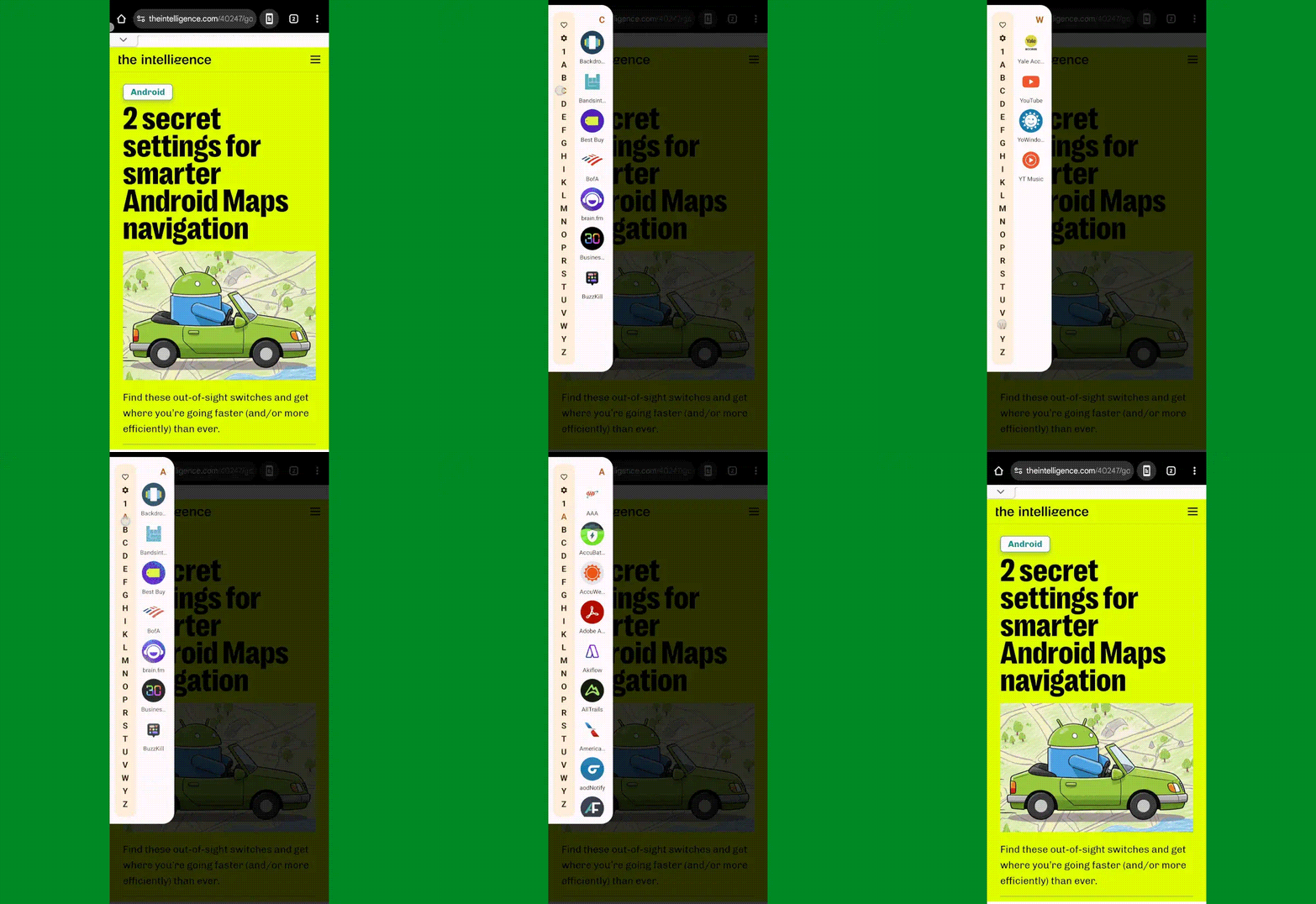
    Panels simplifies multitasking by offering a unique way to access your apps swiftly and efficiently. By swiping on the upper-left corner of your screen, you can summon an app drawer that houses all your installed apps in a convenient sliding menu. This alone streamlines your navigation, eliminating the need to constantly return to your home screen.

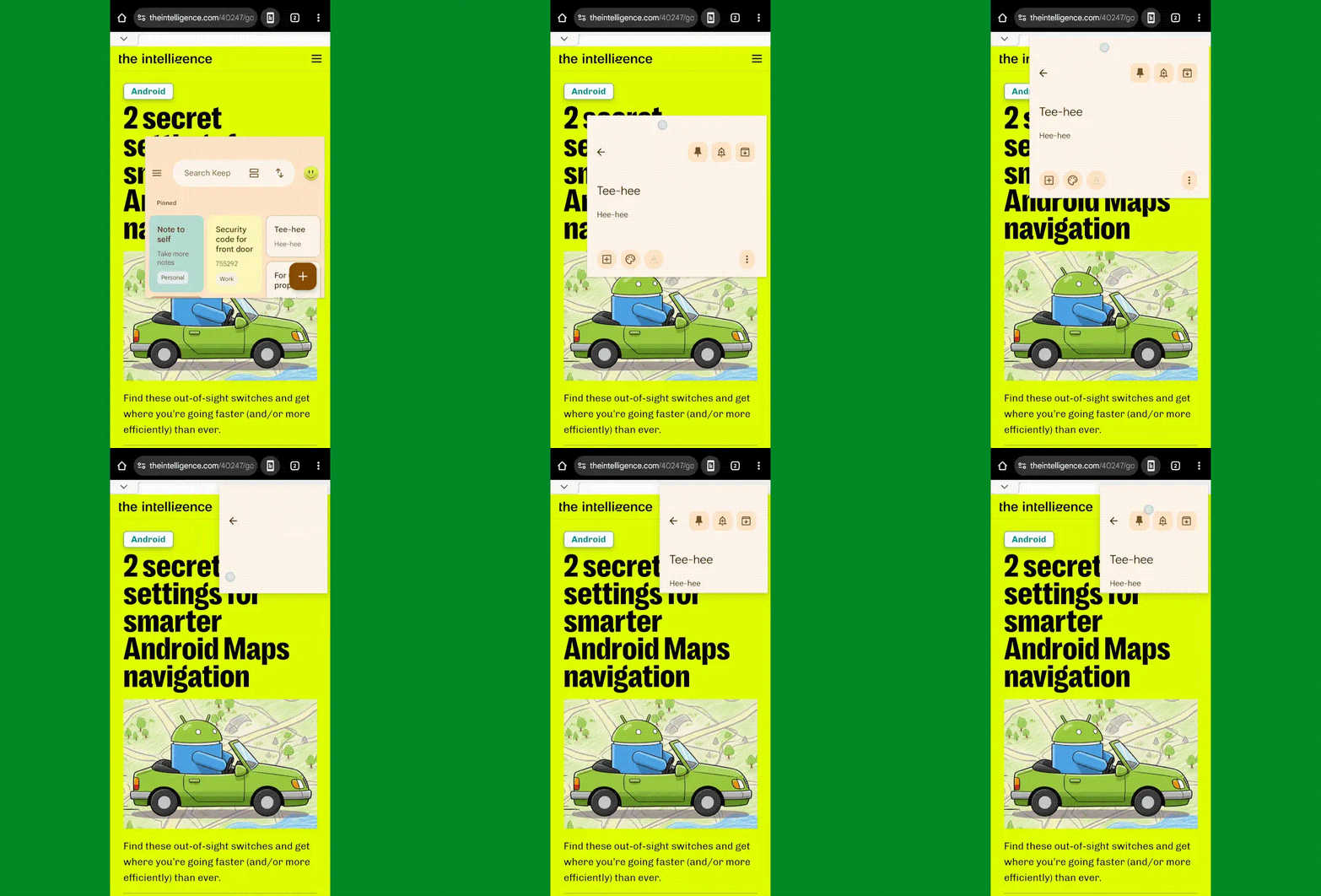
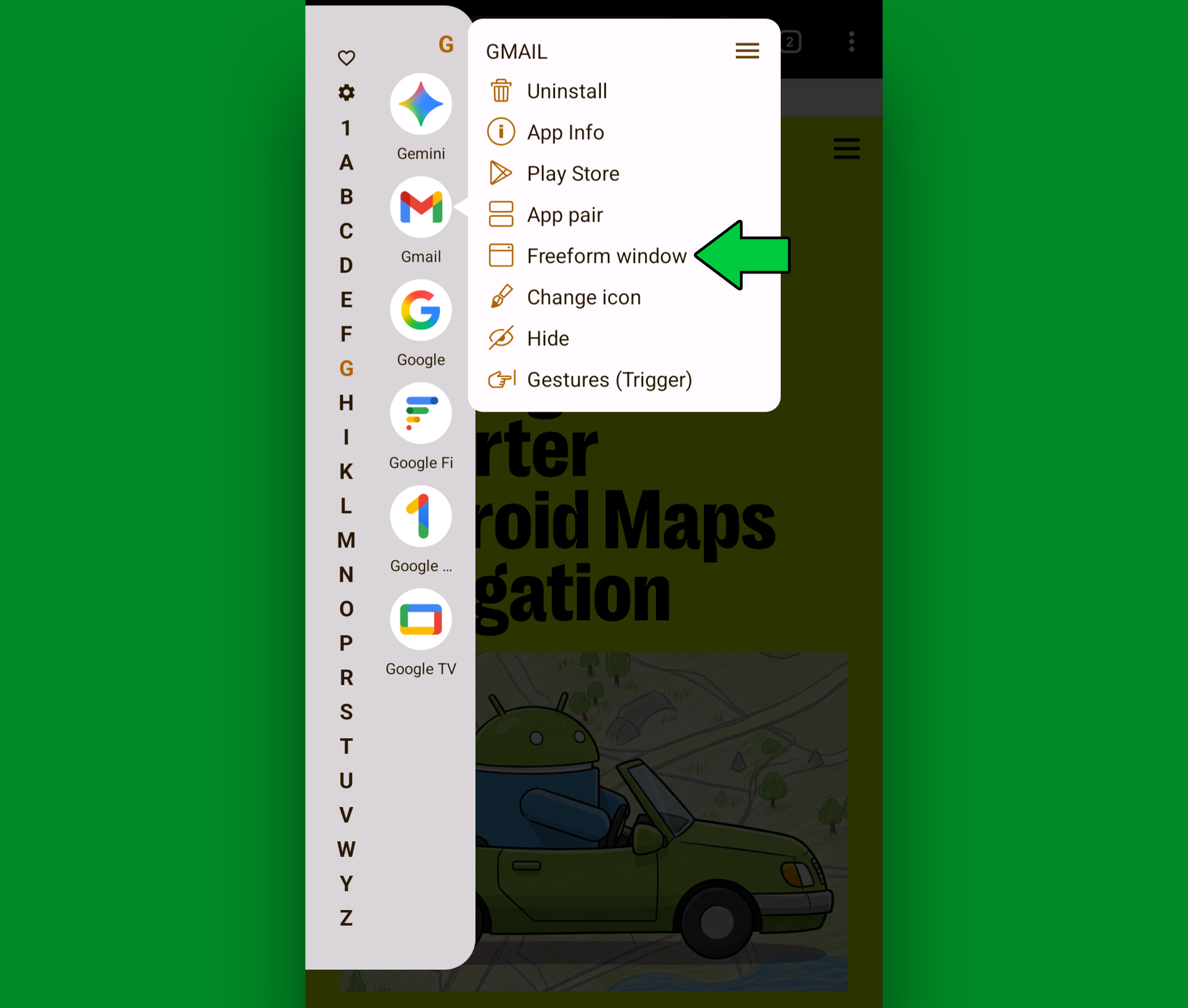
    But the real magic lies in Panels’ latest feature: the ability to open apps in freeform windows. This functionality allows you to open apps in resizable, floating windows that can be moved and positioned anywhere on your screen. It’s like having a desktop experience on your Android device, enabling seamless multitasking without the constraints of traditional split-screen modes.

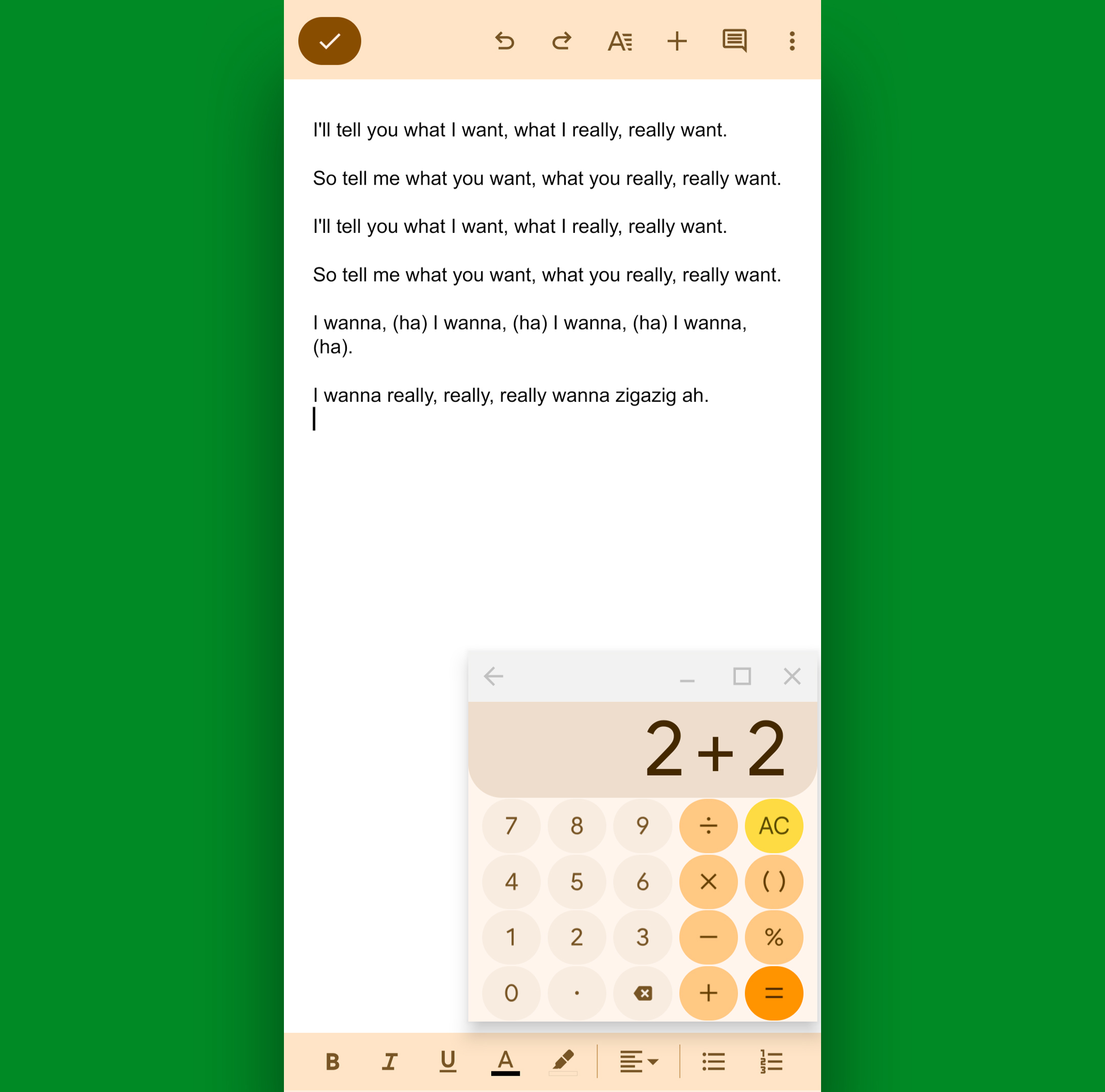
    Imagine checking calculations while working on a document or referencing notes while composing an email, all without switching between full-screen apps. Panels’ freeform windows empower you to interact with multiple apps simultaneously, enhancing your efficiency and productivity.

    This innovative feature not only simplifies multitasking but also offers a glimpse into the future of Android user experience. While similar functionalities exist on select devices, Panels democratizes this capability, making it accessible to any Android user willing to delve into its power-user setup.

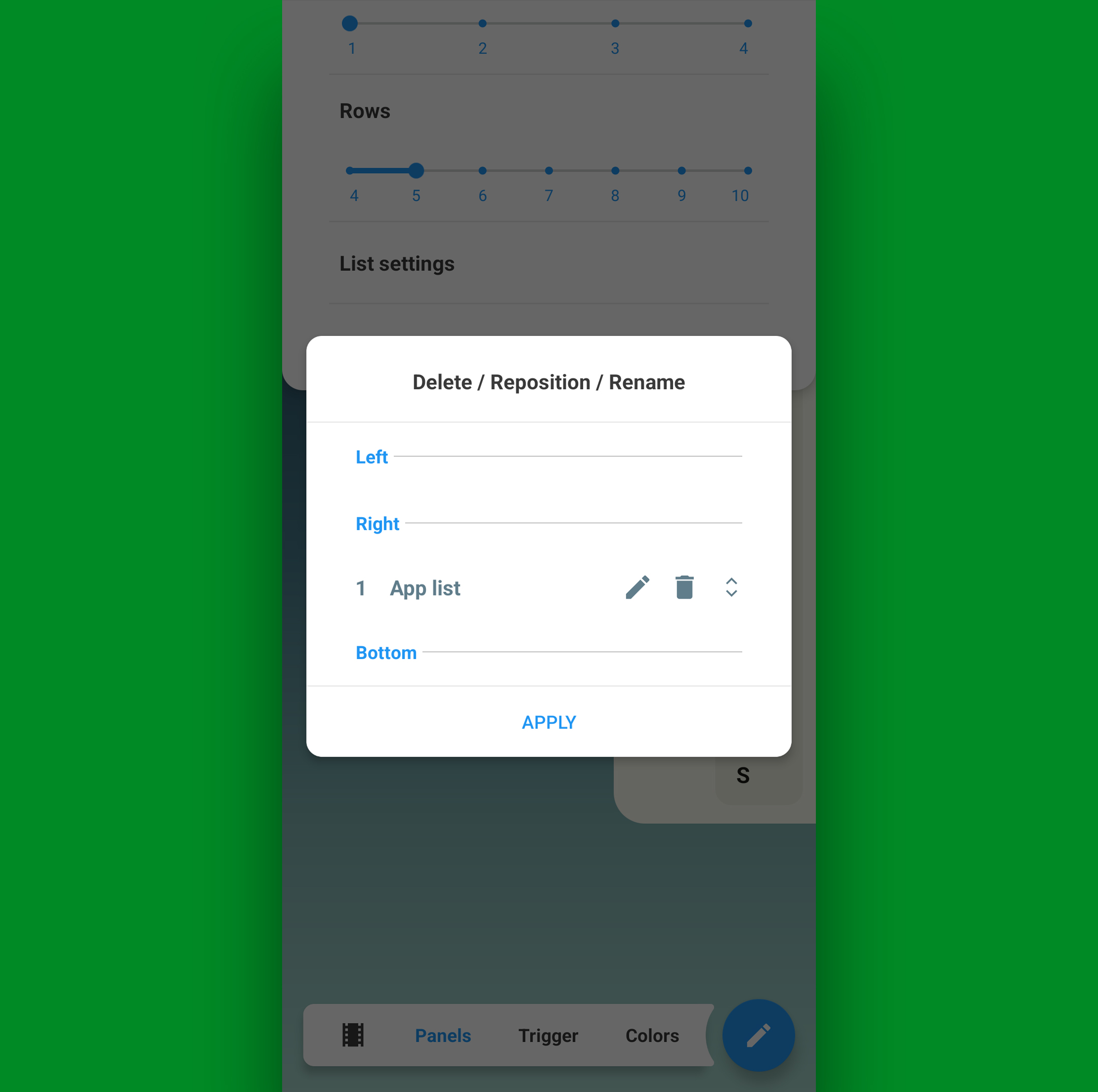
    To embark on this multitasking journey with Panels, start by downloading the app from the Play Store. Follow the setup process to enable essential permissions and configure the app drawer to your liking. Then, activate freeform windows through the developer settings, unlocking a new realm of multitasking possibilities on your device.

    In just a few simple steps, you can elevate your Android experience to new heights with Panels. Embrace the future of multitasking, seize control of your productivity, and unlock the full potential of your Android device. Who knows what other hidden gems await in the vast landscape of Android apps and features?

    So, are you ready to say it with me? Whoaaaa.
  • An Android multitasking revelation

    An Android Multitasking Revolution: Panels Unleash Productivity

    Have you ever stumbled upon an Android feature that made you exclaim, “Whoaaaa” in an early-90s Keanu Reeves style? Well, get ready for a revelation that will revolutionize your Android multitasking experience.

    Panels: The Game-Changer

    Enter Panels, a third-party app that has reimagined Android multitasking. With Panels, you can effortlessly access your app drawer from anywhere on your device with just a swipe. This simple action has transformed how users interact with their Android devices, eliminating the need to navigate back to the home screen repeatedly.

    !Panels App List

    The New Frontier: Freeform Windows

    But here comes the real game-changer. Panels now introduces freeform windows, allowing you to open apps in resizable floating windows that can be moved and positioned anywhere on your screen. This feature transcends the traditional split-screen mode, offering a desktop-like multitasking experience that is both flexible and powerful.

    !Panels Freeform Window

    Practical Applications

    Imagine checking calculations while working on a document or referencing notes while drafting an email, all without losing focus on your primary task. Panels’ freeform windows make these scenarios a breeze, enhancing your productivity and efficiency on Android devices.

    !Google Docs and Calculator in Freeform Window

    Setting Up Panels: A Quick Guide

    To unlock this multitasking marvel, download Panels from the Play Store and follow a few simple setup steps. By configuring your app drawer preferences and enabling freeform windows in the developer settings, you’ll be ready to embrace a new level of Android productivity.

    !Panels Setup

    Embrace the Future of Android Multitasking

    With Panels, you’re not just multitasking; you’re multitasking smarter. Say goodbye to cumbersome app switching and hello to a seamless, desktop-inspired workflow on your Android device. So, are you ready to unlock the full potential of your Android multitasking capabilities? Say it with me now, “Whoaaaa.”

    !Panels Freeform Window Option

    By incorporating Panels into your Android arsenal, you’re not just embracing multitasking; you’re redefining it. So, why not take the plunge and revolutionize how you interact with your Android device today?

    For more advanced Android shortcuts and time-saving tricks, check out the Android Shortcut Supercourse. It’s time to elevate your Android experience to new heights!

  • 20 advanced Android 15 tips

    Title: Unveiling the Hidden Gems: 20 Advanced Android 15 Tips for Tech Enthusiasts

    Android 15, the latest iteration of Google’s operating system, may seem subtle at first glance, but beneath its surface lies a treasure trove of efficiency-enhancing features. Whether you’re a Pixel aficionado or eagerly awaiting the update on your Samsung device, Android 15 brings a host of advancements that can streamline your mobile experience.

    • Notification Cooldown: Google’s Pixel devices now offer a Notification Cooldown feature to manage incessant alerts efficiently. By adjusting settings, your phone will automatically lower its volume during consecutive notifications from the same app.
    • Adaptive Vibration: Android 15 introduces Adaptive Vibration, allowing your phone to adjust its vibration intensity based on its environment. This feature enhances user experience by customizing vibrations for different scenarios.
    • Modes: The introduction of Modes in Android 15 expands the Do Not Disturb setting, enabling users to create custom notification profiles for various situations. This feature provides granular control over interruptions based on user preferences.
    • Split Notifications-Quick Settings: Samsung devices now separate notifications and Quick Settings into distinct panels, enhancing accessibility and usability. Users can easily switch between the two panels for a more intuitive experience.
    • Swipe Between Panels: With Samsung’s split interface, users can swipe between notifications and Quick Settings panels effortlessly, improving navigation and interaction.
    • Customizable Panels: Users can revert to the standard combined panel interface on Samsung devices by adjusting settings within the Quick Settings menu, offering flexibility in interface customization.
    • Private Space: Android 15 introduces Private Space, a feature that enhances app privacy by hiding sensitive apps from view and requiring authentication for access. Users can set up and manage Private Space within the device’s security settings.
    • App Pairs: Android 15 streamlines multitasking with the ability to create app pairs for simultaneous use in split-screen mode. This feature allows users to launch preset pairs of apps with a single tap for enhanced productivity.
    • App Archiving: Android 15 automatically archives unused apps to optimize device storage. Users can restore archived apps easily while preserving previous data and settings, simplifying app management.
    • Long App Names: Pixel devices now support displaying full app names in the app drawer, eliminating truncated names for improved clarity. Users can toggle this feature within the Home settings for a more organized app experience.
    • Vertical App Drawer: Samsung devices now offer a vertical app drawer option for smoother navigation. Users can switch to vertical scrolling in the app drawer settings for enhanced usability.
    • Persistent Taskbar: Pixel Tablet and folding Pixel users can keep the dynamic taskbar visible at all times by enabling the option within Android 15 settings. This feature enhances multitasking and app switching on large-screen devices.
    • Enhanced Screen Saver: Android 15 expands the screen saver functionality to display a connected-device control panel while docked or charging. Users can customize this feature in the Display settings for added convenience.
    • Gemini Assistant: The Gemini Android assistant gains the ability to perform multipart actions across multiple apps, improving productivity and task automation. Users can explore this feature on compatible devices for efficient multitasking.
    • Volume Panel Control: Android 15 offers a revamped volume panel with detailed audio output controls on Pixel devices. Users can direct audio output to specific sources by accessing the audio settings within the volume panel.
    • Bluetooth Automation: Pixel users can automate Bluetooth reactivation after a set period by toggling the option in the device’s settings. This feature simplifies Bluetooth management and enhances connectivity.
    • Magic Audio Eraser: Pixel 8 and higher devices receive an upgraded Magic Audio Eraser feature for video sound editing. Users can identify and adjust specific sounds within videos for enhanced audio quality.
    • Call Recording: Samsung devices now support call recording and transcript creation within the Phone app settings. This feature enhances call management and documentation for improved communication.
    • Color Contrast Controls: Android 15 introduces advanced color contrast settings for personalized display customization. Users can fine-tune contrast levels in the Display or Accessibility settings for a tailored viewing experience.
    • Battery Protection: Samsung devices offer customizable battery charge limits for optimized battery health. Users can set specific charge thresholds within the Battery protection settings for prolonged battery lifespan.

    In conclusion, Android 15 brings a host of innovative features and enhancements that cater to diverse user needs. From privacy and multitasking improvements to audio editing and display customization, these tips showcase the versatility and sophistication of the latest Android iteration. Whether you’re a Pixel enthusiast or a Samsung user, exploring these advanced features can elevate your mobile experience to new heights.